
What it is for
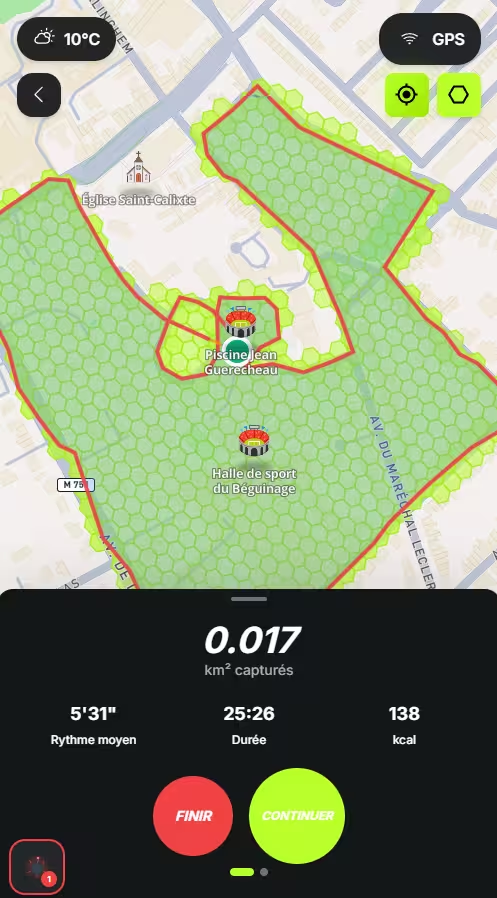
The recap image turns one of your runs into a ready to publish visual: your captured territory, your stats and a story format. It is generated from the mobile app, on your own posts only.
Getting there
- 01Open one of your posts, from the feed or from your profile.
- 02Tap the share icon.
- 03Choose "Recap image". The entry only appears if the post is yours.
Ready made styles
Swipe the preview left or right to move between styles. They only affect the styling: the stats you ticked and the format stay your own choices.
Black
Black hexagons on a transparent background. The default look, to drop onto a light story.
White
The same, in white, for dark backgrounds.
My settings
Replays your last saved configuration. Every change is remembered, except the photo.
Tuning the territory display
The overlay offers three contents: the route and the hexagons, hexagons only, or the route only. Hexagons only is the default: the captured territory is what makes a Konquo image recognisable.
Grouping hexagons
A hexagon covers about 300 m2. On a run of several kilometres, scaled down to the image, it becomes tiny. The "Hexagon size" setting then merges neighbouring hexagons into one bigger hexagon, exactly like the map does when you zoom out.
| Actual | Very grouped | |
|---|---|---|
| Hexagon size | The capture size, about 300 m2 | Each hexagon merges around fifty of them |
| Reading a long run | A dotted line, hard to make out | Clearly visible hexagons |
| Faithfulness to the ground | Exactly what you captured | Outline rounded to the coarser grid |
Colours and texture
Hexagons can be filled in Konquo green, in your profile colour, in black, in white, or with the texture of the hexagon icon you equipped in the shop. With no icon equipped, the Texture option stays greyed out.
The transparent background
The transparent background exports the image with no background at all: you then drop it onto a photo or a colour straight inside Instagram or TikTok. In the editor, a grey chequerboard marks that missing background, and it never appears on the final image.
Save or share
The "Download" button saves the image, and the share icon next to it opens the phone share sheet directly: Instagram stories, Messages, or any other installed app. Both buttons stay within reach at the bottom of the screen while you scroll through the settings.
What is remembered
Your settings are kept on the device, but only at the moment you download an image. So you can try combinations freely without overwriting anything: only the last image you actually downloaded counts.
That configuration then comes back under the "My settings" style, marked above the preview with "Last saved image". Background, colours, hexagon size, layout, format and stats are kept; only the background photo never is, because it belongs to one specific activity.
Removing the Konquo logo is reserved for Konquo+ subscribers. Without a subscription, the setting points to the offer.
Your hexagon icon also changes how your recap images look.
See the shop and purchasesWas this article helpful?
Still got a question?
Our team replies on Discord or by email, in French and English.